Data Input
ionique reads nanopore recordings from several file formats, converts units,
and wraps the result in a TraceFile for downstream
analysis.
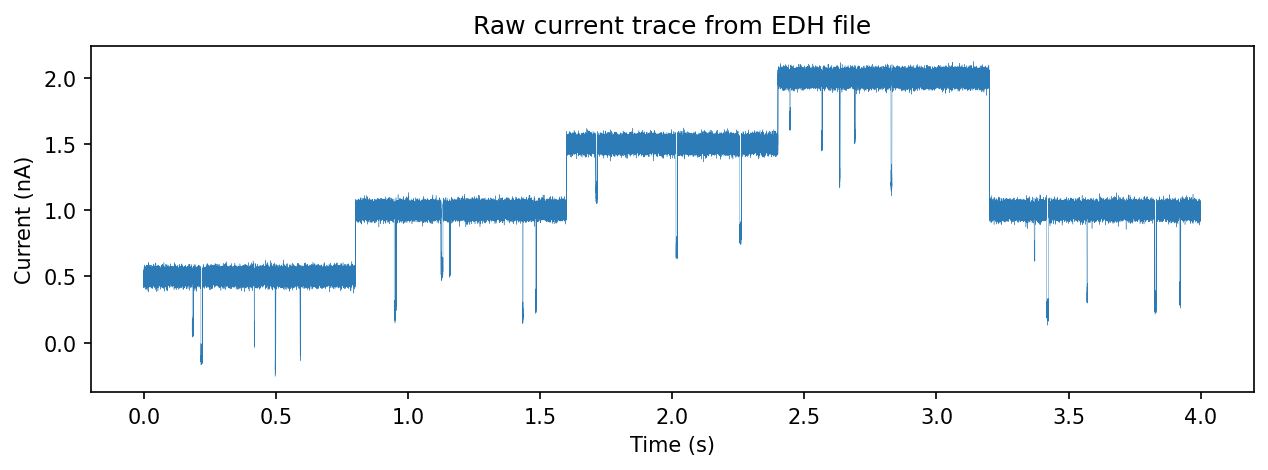
Supported formats
Extension |
Reader class |
Description |
|---|---|---|
|
|
Element Data Header files. Binary current/voltage with XML metadata. |
|
|
Orbit Potential files. Similar parameters to EDHReader. |
|
|
Axon Binary Format (pClamp). Requires the |
All readers are subclasses of AbstractFileReader and return the same
three-element tuple: (metadata, current, voltage).
Loading an EDH file
from ionique.io import EDHReader

reader = EDHReader("experiment.edh")
metadata, current, voltage = reader
metadata is a dictionary with keys such as sampling_frequency,
current_scaling, and voltage_scaling. current and voltage are
NumPy arrays in SI units (amperes and volts).
Reader parameters
EDHReader and OPTReader accept these keyword arguments:
Parameter |
Default |
Description |
|---|---|---|
|
|
Split voltage into step boundaries (returns list of tuples
instead of flat array). Set to |
|
|
Integer downsampling factor. |
|
|
Samples to discard from the start of each voltage step. |
|
|
A callable applied to the raw current before downsampling is performed.
Can be an instance of |
# Downsample 10x and split voltage steps
reader = EDHReader(
    "experiment.edh",
    downsample=10,
    voltage_compress=True,
)
metadata, current, voltage = reader

# voltage is now a list of ((start, end), voltage_value) tuples
for (start, end), v in voltage:
    print(f"Samples {start}–{end}: {v*1000:.1f} mV")
Loading an OPT file
OPTReader has the same interface:
from ionique.io import OPTReader

reader = OPTReader("recording.opt", voltage_compress=True, downsample=5)
metadata, current, voltage = reader
Creating a TraceFile
TraceFile wraps the reader output into a segment-tree node at rank
"file":
from ionique.datatypes import TraceFile

trace = TraceFile(current, voltage=voltage, metadata=metadata)
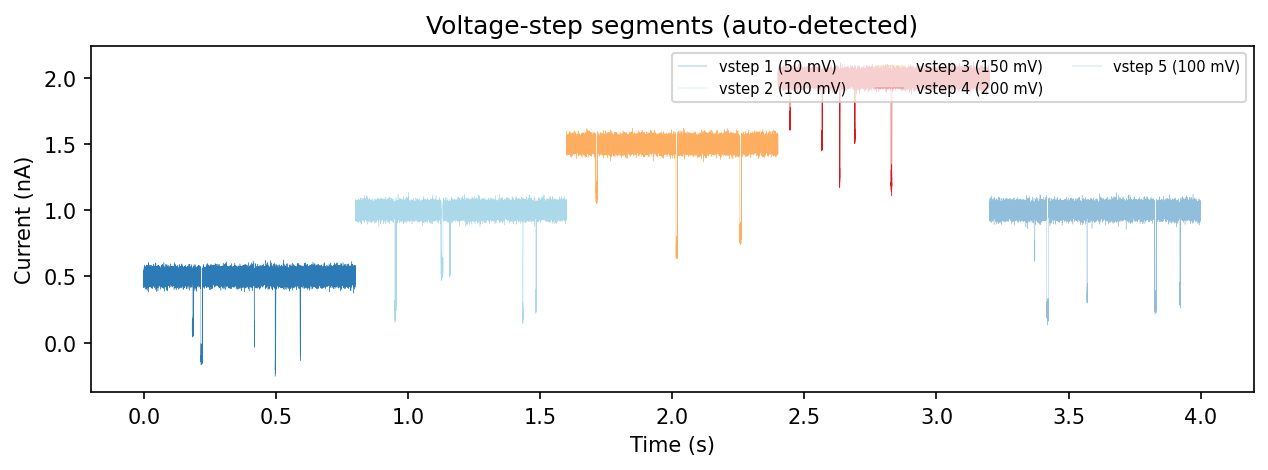
When voltage contains step boundaries (from voltage_compress=True),
TraceFile automatically creates child segments at rank "vstep":
print(trace.summary())
# {'file': 1, 'vstep': 5}

for vstep in trace.children:
    print(f"vstep at {vstep.start}–{vstep.end}, voltage = {vstep.get_feature('voltage')}")
Voltage protocol
The voltage array encodes the applied voltage at each sample. With
voltage_compress=True, ionique detects transitions and splits the trace
into constant-voltage segments.
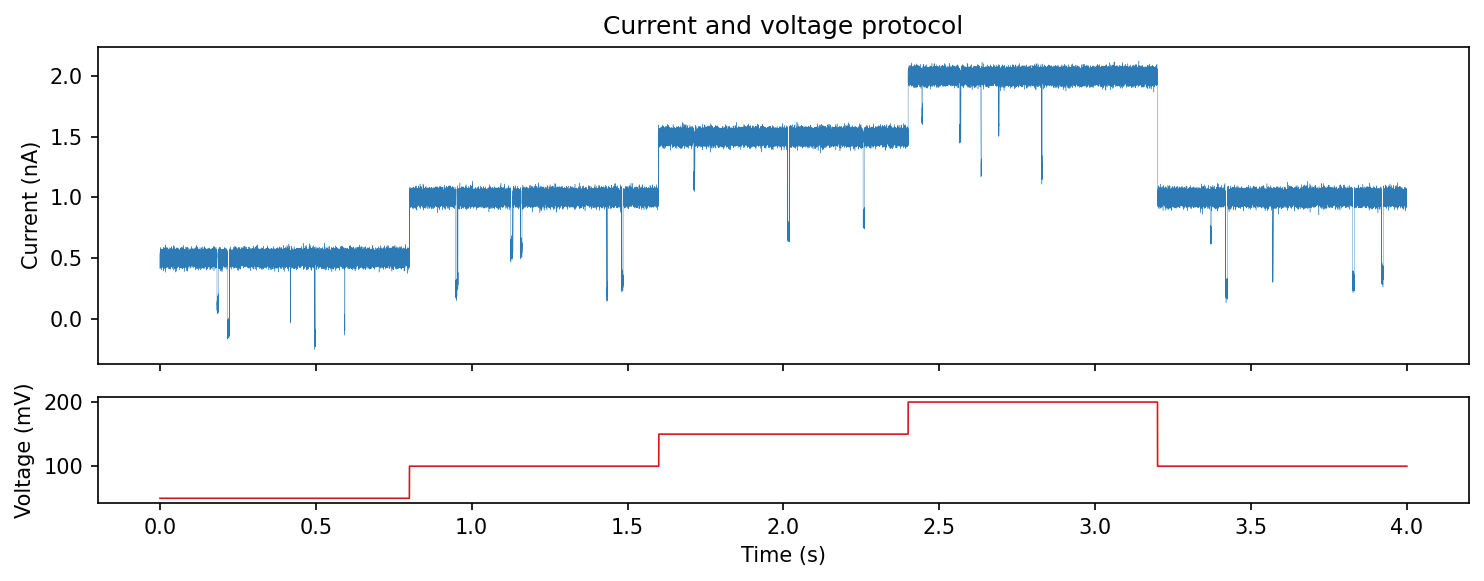
Under the hood, when voltage_compress=True, utils.split_voltage_steps() finds DC voltage transitions:
from ionique.utils import split_voltage_steps
import numpy as np

# Example voltage array from a raw file
voltage_array = np.zeros(1000000)
voltage_array[0:100000] = 0.1
voltage_array[100000:200000] = 0.2
voltage_array[200000:900000] = 0.25

boundaries = split_voltage_steps(voltage_array, n_remove=0, as_tuples=True)
# [(0, 100000), (100000, 200000), (200000, 900000), (900000, 1000000)]
SessionFileManager
SessionFileManager is a singleton that acts as the root of the segment
tree. All TraceFile instances are automatically registered as its
children:
from ionique.datatypes import SessionFileManager

session = SessionFileManager()
# After loading files, they appear as children:
for child in session.children:
    print(child.rank, child.unique_features.get("filename"))
It also maintains an affector_table that tracks which readers and
transforms have been applied during the session.